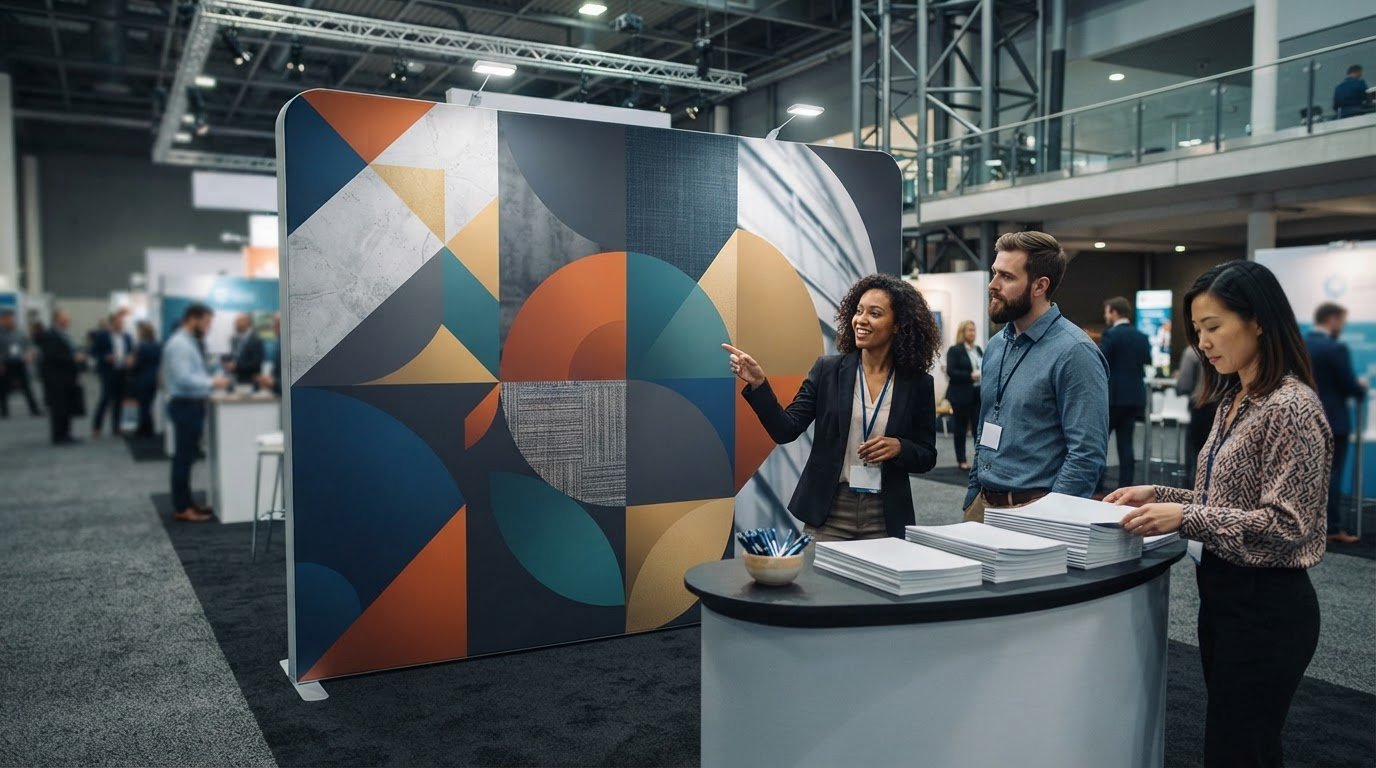
A pop-up display can carry custom graphics designed around your brand, message and event space. Effective pop up display banner printing does more than fill a panel: it makes your key message easy to read from a distance.
You may already know the look you want, but choosing the right size and arranging artwork for a large display takes careful planning. Small text, crowded layouts and weak contrast can make important information difficult to read on a busy trade show floor.
This guide explains how to choose a display size, prepare custom graphics and make your banner readable at a glance. You’ll also learn how layout, colour, image quality and file preparation work together, so you can plan your event print and avoid last-minute decisions.
Key Takeaways
- Choose a display format that fits your booth footprint, transport needs and setup plan.
- Prepare artwork at the correct dimensions, with clear image quality, colour settings and bleed.
- Match the display size to viewing distance and available space, not just the event venue.
- Keep the main message prominent and use strong contrast so visitors can read it at a glance.
- Plan supporting event materials, such as brochures or posters, to give interested visitors more detail.
Are pop-up displays suitable for trade shows?
Yes. A pop-up display gives your trade show space a defined backdrop for your brand, product information or campaign message. Most pop-up display systems assemble in under ten minutes without tools or professional installation. That quick setup can help when you need to prepare a stand before visitors arrive.
To order a pop-up display banner, choose a system that fits your stand space, then prepare artwork to match its graphic dimensions. After delivery, follow the system’s instructions to assemble the frame and attach the graphics before opening the stand.
Before choosing, consider the full event routine: transporting the display, setting it up, taking it down and storing it afterwards. A compact system may be easier to carry, but the assembled display still needs enough room at your stand. Measure the available floor space and note nearby tables, aisles and other displays.
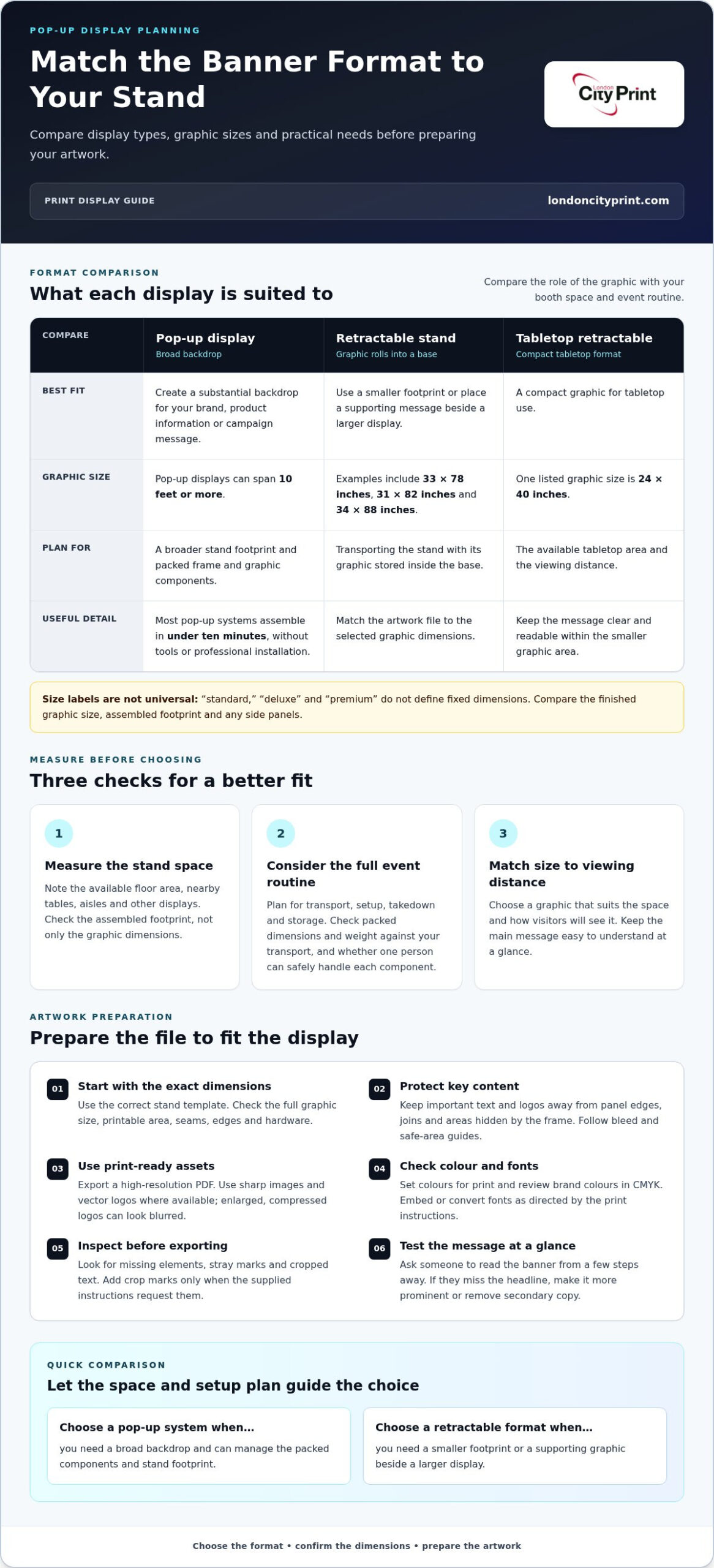
Banner stands differ in how they work. A pop-up system creates a broad backdrop, while a retractable stand keeps its graphic rolled inside a base for transport. Retractable banner stands can suit a smaller footprint or support a message beside a larger display. Choose according to the layout and the role each graphic needs to play.
Plan how you will carry the display before event day. Check the packed dimensions and weight against your transport, and consider whether one person can handle each component safely. A carrying case helps keep the display together and protect it in transit. Keep graphic panels clean and dry, and avoid folding them unless the system’s instructions allow it.
- Setup: Lay out the frame and graphics before assembly, then follow the system’s sequence. Confirm the base sits securely and the graphic hangs evenly.
- Takedown: Remove or retract the graphic as directed. Collapse the frame carefully, then return each part to its carrying case.
- Storage: Store the packed display in a dry, protected place. Keep it away from heavy items that could crease graphics or damage frame parts.
At a trade show, use a message visitors can understand quickly and make the display a clear visual anchor. Pop-up systems work well when you need a substantial backdrop and can manage the packed components. If quick placement and a smaller footprint matter more, a retractable option may fit better. Match the format to your transport plan, booth layout and setup process.
How do I design an effective pop-up banner?
Build the artwork around one clear message, then prepare the file to match the display dimensions. Templates, colour settings and image quality all affect the final print.
Artwork Files and Specifications
Start with the exact graphic dimensions for your display. Use a high-resolution PDF as your final file to preserve the layout, fonts and image quality. Keep important text and logos away from panel edges, joins and areas hidden by the frame. Follow the template’s bleed and safe-area guides.
Set colours for print rather than relying on how they appear on screen. CMYK values can produce different results from RGB colours, so review brand colours before exporting. Use sharp images and vector logos where available. A small, compressed logo can look blurred when enlarged across a wide panel.
Before exporting, check that fonts are embedded or converted as directed. Confirm that the artwork matches the full graphic dimensions, not just the visible area. Inspect the PDF closely for missing elements, stray marks and cropped text. Add crop marks only when the supplied print instructions request them.
Templates and Artwork Assistance
A template maps the printable area and shows where seams, edges or hardware may affect the design. Download the correct template for your stand, then build the artwork on a separate layer. Keep guides visible while designing, but remove them from the final file unless the template specifies otherwise.
Online design tools can help you arrange text, images and brand colours without specialist software. Set the canvas to the template dimensions, place the headline first, then add supporting details. For example, use a short product benefit as the main message and place contact details in a clear lower area.
Before exporting, check spelling, contrast, logo quality and alignment. Ask a colleague to read the banner from a few steps away. If they miss the headline, make it more prominent or remove secondary copy. Replace low-quality images before final export rather than trying to sharpen them after enlargement.
Artwork assistance can be useful when a file needs resizing, layout correction or print preparation. Provide the final dimensions, brand assets and required text together. If you’re planning a coordinated event graphic, prepare its artwork alongside the banner so both pieces share consistent colours and messaging.
For a supporting visual at your stand, match the banner’s palette and headline style in a coordinated event display. This gives visitors a consistent message across the space.
Banner sizes for standard, deluxe, premium, and outdoor stands
Available formats include full-size pop-up displays, tabletop retractable banners, and standalone retractable banner stands. Pop-up displays can span 10 feet or more, while compact graphics suit tabletop use.
Labels such as standard, deluxe and premium do not define universal dimensions. Compare the graphic’s finished width and height, the assembled stand footprint and any side panels before selecting a format.
A stand’s graphic dimensions matter as much as its overall frame. For example, a retractable banner stand can use a 33 x 78-inch graphic. A tabletop retractable stand can use a 24 x 40-inch graphic. These formats serve different viewing distances and space requirements.
Other listed retractable graphics measure 31 x 82 inches or 34 x 88 inches. Treat each dimension as a specific graphic size, not a general standard for every banner stand. Match your artwork file to the selected graphic dimensions so text and logos sit within the printable area.
You can choose a pop-up display stand in an 8 ft. or 10 ft. size. A wider display creates more room for graphics, but it also needs enough booth width and clear floor space. Measure the stand area before choosing between these options.
Side panels can change the display’s total width. For an 89-inch by 89-inch pop-up display with SideWrap, the final dimensions are 116.567 x 89.567 in. For a 118-inch by 89-inch display with SideWrap, the final dimensions are 145.067 x 89.567 in. Include those finished measurements in your booth plan.
- Standard: Compare the graphic size with available booth width and viewing distance.
- Deluxe or premium: Check the full assembled dimensions, including any side graphics or frame extensions.
- Outdoor use: Select a stand specifically designed for the location and its conditions. Don’t assume an indoor frame suits outdoor use.
- Tabletop: Use a compact format when a counter or table provides the display position.
Material affects how graphics look and handle, so review the product specifications for the chosen system. Double-sided printing can provide visibility from two directions. Confirm that both graphic faces fit the stand design and that the artwork aligns with the frame.
For a portable setup, balance display width against transport and storage space. A 10 ft. backdrop can command more visual space than a tabletop graphic, but the correct choice depends on booth dimensions, sightlines, and the message you need visitors to see.
Choosing a banner size for different spaces and events
Select a display by measuring your usable space and identifying where visitors will see it. A trade show booth, reception area and conference room each have different sightlines and layout needs.
When comparing a pop up display banner printing company, look at graphic dimensions, material choices, print-file guidance and finishing options. Consider whether the production and delivery process fits your event schedule, and check the full quote before committing.
At a trade show, map the booth before selecting a display. Note the back wall, entry points, furniture and visitor route. A wide backdrop can anchor the main message, while a narrower stand may leave room for product demonstrations or conversations. Keep the display within your allocated space and avoid blocking an aisle or neighbouring stand.
For a reception desk or seminar room, consider how close visitors will stand. A compact banner beside a registration point can carry directions or a short event message. A larger display behind a speaker can provide a clear background, but it needs enough wall space and should not compete with presentation screens.
Business events use displays for different purposes. A product launch may need a brand-led backdrop; a recruitment fair may need role information and contact details. Choose a size that gives the most important message clear visibility. If visitors approach from both sides, consider whether double-sided graphics suit the position.
- Trade show: Measure the booth width and plan around furniture, entrances and neighbouring stands.
- Conference: Match the display height and width to the room’s sightlines and presentation area.
- Reception: Choose a compact format that fits beside the desk without crowding visitors.
- Outdoor event: Select a stand intended for outdoor use, and consider the site surface and conditions.
Material and finish affect how a graphic looks under venue lighting and holds up during regular transport. For a polished corporate event, choose a finish that supports the artwork without distracting reflections. For a display used across multiple events, consider how you will pack, carry and store it between venues.
Before making your final selection, note the event location, available space, viewing direction and display purpose. Match those details to the stand’s assembled dimensions and graphic area. For example, a narrow presentation corner may suit a vertical banner, while a broad booth wall can accommodate a wider backdrop. Choose a size for the event layout, not simply to maximise the printed area.
Design tips for readable pop-up banners
A readable banner gives each message a clear order. Design for the distance visitors will view it from, then remove details that compete with the main point. At a trade show, visitors should spot your company name and core offer before reading supporting information.
Start with a single headline. For example, a software company might lead with “Project planning for growing teams,” then add a short benefit below. Keep contact details secondary and avoid turning the banner into a full brochure. Visitors can take in a concise message while moving through an event space.
Use contrast to separate text from its background. Dark lettering on a light panel can remain clear under indoor venue lighting. Check brand colours together, since similar tones can blend when printed. If the banner uses fabric, consider how the material affects colour and image detail.
- Set a visual hierarchy: Make the headline largest, then supporting copy, then contact details.
- Limit the message: Keep one main offer and a short call to action.
- Choose clear type: Use simple letterforms and avoid decorative fonts for essential information.
- Check contrast: Review text against every background colour and image.
- Test the layout: Step back and read the banner at its intended viewing distance.
Images should support the headline rather than distract from it. A product photograph beside a short benefit can explain an offer faster than several lines of copy. Use a sharp, well-lit image and leave enough open space around logos and text. A busy background can reduce visibility, especially across a wide display.
Design templates help align key content with the printable area. Download the template for the exact stand, keep text clear of panel joins and remove guide layers before exporting. For retractable banners, keep vital wording away from the lower area that may sit inside the base. Check the finished layout against the stand’s graphic dimensions.
Review the proof on screen at full layout size, then inspect small details closely. Check spelling, logo edges, image crops and colour consistency. Ask someone unfamiliar with the project to identify the main offer quickly. If they notice secondary copy first, simplify the design and strengthen the headline.
Keep event graphics consistent across the display and any supporting materials. Use the same logo treatment, colour palette and wording, while giving each item a distinct role. A banner can carry the central message; a handout can hold the fuller product details. Prepare your banner artwork for print with these checks in place.
London City Print: Booklets and Brochures
London City Print can support your event with Booklets and Brochures that give visitors more detail after they see your display. Use a banner for the main message, then provide a brochure with product information, company details or next steps. Posters and Pull-Up Banners can also help create a consistent visual presence across your event space.
For a coordinated set, use the same colours, logo and key wording across each item. This keeps the display and printed materials aligned while giving each format a clear role. Choose a brochure for information visitors can take away, or a poster for messages you want displayed at the venue.
Contact London City Print to discuss printed materials for your next event.
Prepare your next event display with confidence
Your display is one part of the event experience. Give visitors a clear next step by pairing its main message with print materials they can read, take away or use later. Booklets and Brochures can carry more detail, while Posters can extend a campaign across the venue. Wire Binding can suit documents designed for repeated reference.
When planning pop up display banner printing, keep the event purpose at the centre of each decision. Choose graphics and supporting materials that work together, then prepare the files and production details early to keep your event plan on track.
London City Print can help you prepare printed materials for your event. Contact London City Print today to discuss your requirements and move your next display project forward.
Frequently Asked Questions
Can I order a pop up display with custom graphics?
Yes, you can choose graphics built around your campaign, brand identity or event message. Decide whether the display needs to introduce your business, explain one product or direct visitors to a next step. For a reusable display, keep the artwork focused on lasting brand information. For a one-off event, include campaign details specific to that occasion.
How soon can I receive my order?
Your schedule depends on artwork approval, production timing and the shipping destination. If you need the display for a fixed event date, plan backwards from the day you must set it up. Allow time for internal approval and delivery coordination, and avoid major design changes after approving the final artwork.
What sizes and dimensions are standard for pop-up display banners?
No single dimension works for every pop-up system. Some displays form a compact backdrop, while others cover a wider event wall. First, check the venue’s allocated display area and any height restrictions. Then compare that space with the complete assembled system, including its frame and extensions. If you plan to reuse the display, consider whether it will fit future venues too.
Which materials and print finishes are best for pop-up displays?
Choose materials and finishes by considering the display’s surroundings, frequency of use and intended appearance. A graphic near bright lighting may need a surface that limits glare, while a display used repeatedly needs handling and storage suited to its material. Consider how the selected finish affects colour and reflections, then judge it against the venue lighting and the look your brand requires.
How do fabric and vinyl pop-up display banners compare?
Fabric and vinyl offer different visual effects and handling considerations. Fabric can suit a softer backdrop, while vinyl gives the artwork a smoother surface. Consider the setting and how the display will travel between events. For example, a graphic that moves frequently between venues should suit your packing and storage routine. Match the material to the frame’s construction and the appearance you want.
What resolution and file formats should artwork use for pop-up banner printing?
Send a high-resolution PDF for production, and keep the original design file separately for future edits. Image resolution should suit the finished graphic size and normal viewing distance. Use vector artwork for logos when possible, so brand marks retain clean edges. Name each file clearly with the campaign and version, then ensure the approved PDF matches the final copy and artwork.
How long does pop-up banner printing and shipping take?
Printing and shipping times vary with artwork approval, production scheduling and delivery destination. Transit time begins after the order leaves production, so include both stages in your event plan. If several people need to approve the design, set an internal review deadline before production starts. This helps avoid delays from late copy changes or unresolved artwork decisions.
What accessories and carrying cases are included with pop-up displays?
Package contents vary between display systems, so review the itemised product description before ordering. Check whether it includes the frame, printed graphic, carrying case, lights or other components you need. Make a simple inventory based on your event setup plan, especially if you already own compatible equipment. Keep assembly instructions with the case so your team can find them at the venue.