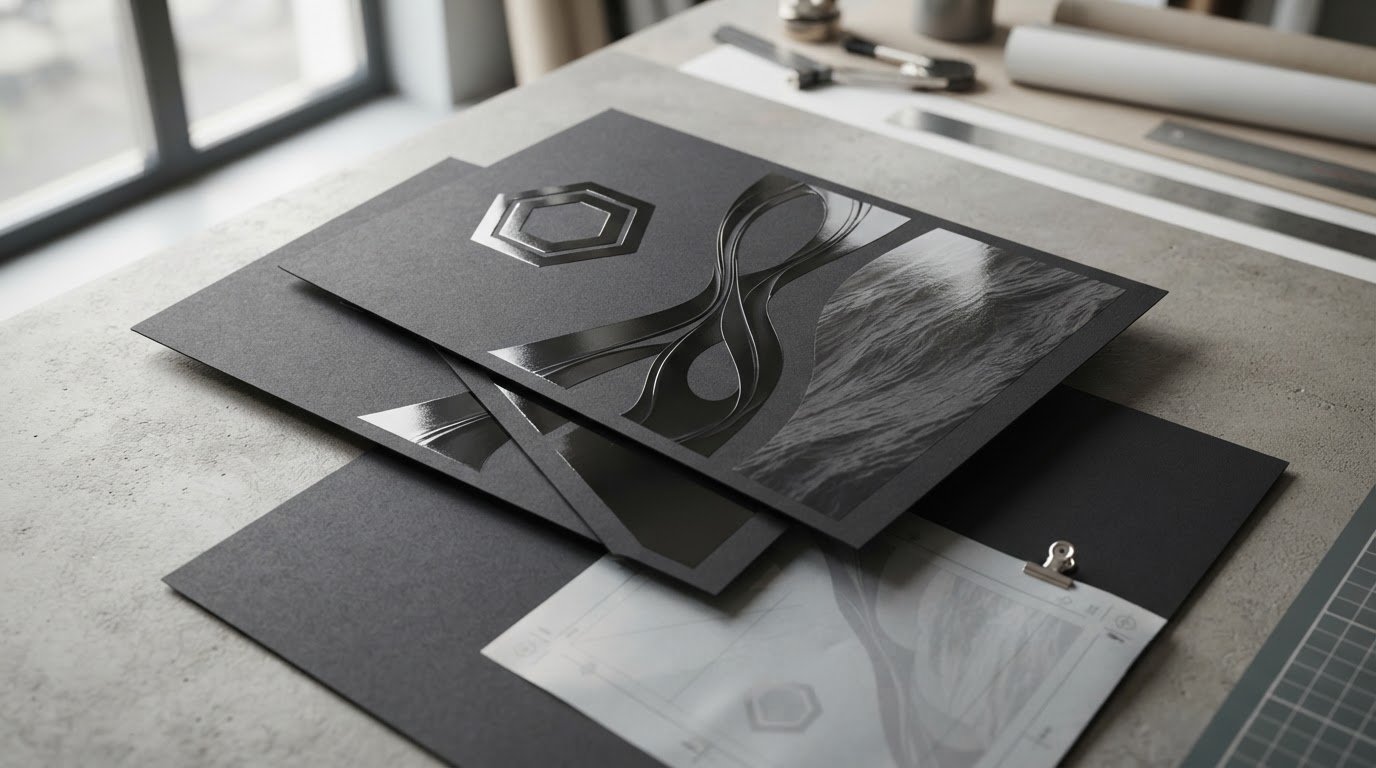
Can a glossy detail make a flyer clearer rather than louder? With spot UV flyer printing, you add shine to selected parts of the design while keeping the rest easy to read. The finish creates a visible contrast and may add a surface difference, but it works best when it supports the flyer’s visual hierarchy.
Gloss can distract from your message if it covers too much or sits behind small, essential text. Used selectively, spot UV can draw attention to a logo, headline or image detail without competing with key information. This guide explains how the finish looks, which elements suit it and how to prepare artwork so the coating lands where you intend.
Start by choosing one clear focal point, then create separate, precisely aligned instructions for the UV areas. A focused design and a careful file review help prevent common problems, such as gloss falling outside a logo or covering text that needs to stay easy to read.
Key Takeaways
- Spot UV flyer printing adds selective shine and surface contrast, so use it to support the message rather than decorate every element.
- Choose a focused design element, such as a logo or short headline, to guide attention across the flyer.
- Compare spot UV with an overall high-gloss finish and matt lamination to match the surface to your design goals.
- Prepare separate artwork instructions for the coated areas and align them precisely with the printed design.
- Plan the flyer around its purpose, audience and main focal point before choosing a finish.
What Is Spot UV Flyer Printing, and What Does It Add?
Spot UV flyer printing applies a clear, glossy coating to selected areas of a printed flyer, rather than covering the entire surface. The coated details reflect more light than the surrounding paper or finish. Depending on the process, they may also feel different to the touch.
The word “spot” describes the selective placement of the finish. It does not refer to a coloured ink. Printing terminology also uses “spot” in other targeted applications; Spot color in printing provides background on the term and its related uses. For flyer design, the practical point is simple: spot UV adds gloss only where you specify it.
An overall high-gloss finish creates shine across a larger printed area. Spot UV is more selective, so you can emphasise a particular detail while leaving other areas less reflective. Decide what the reader should notice first, then use the coating to reinforce that order. Applying gloss broadly or to too many competing details can weaken the hierarchy and make the message harder to scan.
How does spot UV look and feel on a flyer?
Under light, treated sections catch stronger reflections than the areas around them. A logo, heading or image detail can look glossier and more distinct against a less reflective background. The contrast depends on the artwork, the surrounding surface and the size and placement of the coated areas.
You may also notice a surface difference when you run a finger over a coated detail. The exact effect depends on the process, so don’t assume every application will feel raised or equally pronounced. If the tactile result is central to your decision, assess a physical sample. It lets you judge colour, paper weight and finish in person instead of relying only on an on-screen preview.
What is the difference between spot UV and raised spot UV?
Spot UV describes selective gloss. Raised spot UV describes an application designed to create a raised effect as well as shine. The terms are related, but the height and texture can vary by product and process. Use the exact finish description in your production specification, particularly when the tactile effect matters to the design.
For planning, be clear about the result you want. Choose spot UV when selective gloss is the priority. Specify raised spot UV when you also want a tactile lift. In either case, decide which details deserve emphasis before preparing the finish artwork. A polished result starts with a clear visual purpose, not simply adding gloss wherever there is space.
How Spot UV Works with Flyer Paper, Colour, and Lamination
Spot UV adds a glossy coating to selected parts of the design, while the rest of the flyer retains its chosen paper or finish. The result depends on the contrast between those surfaces, the colours beneath the coating and how much of the design receives gloss. Keep the finish subordinate to the message so it does not make key information harder to read.
Compare the options by how much of the flyer they cover and the role they play:
| Finish | Coverage and appearance | Design role |
|---|---|---|
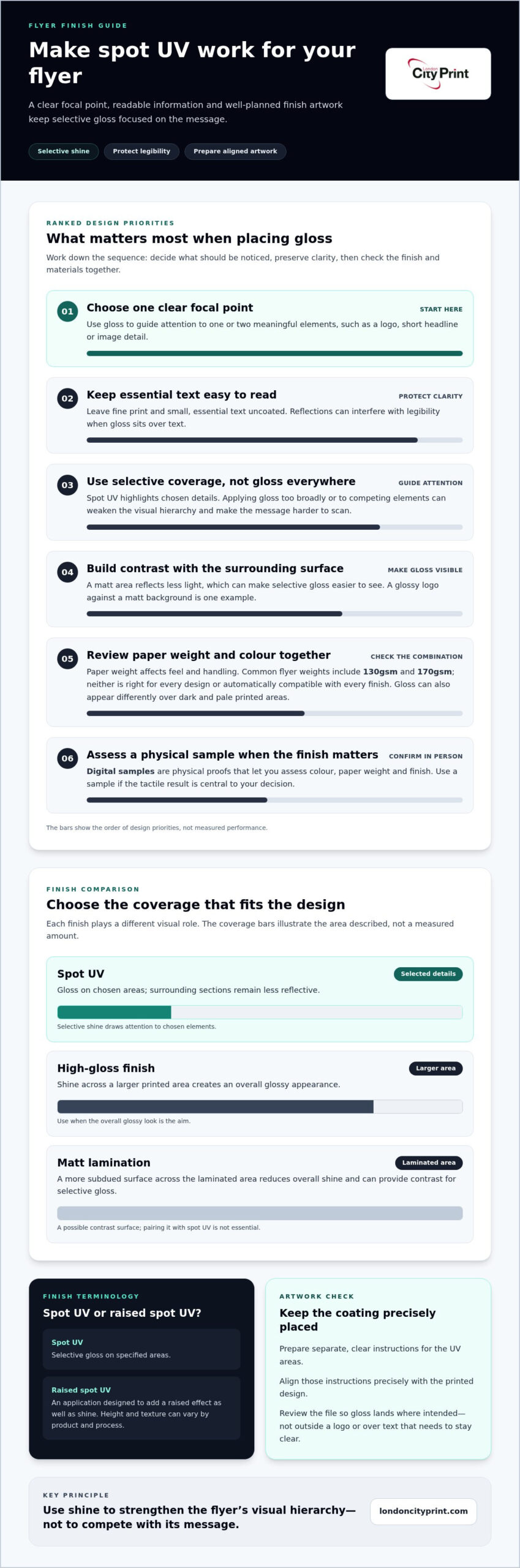
| Spot UV | Gloss on selected details, with surrounding areas less reflective | Draw attention to chosen elements |
| High-gloss finish | Shine across a larger printed area | Create an overall glossy appearance |
| Matt lamination | A more subdued surface across the laminated area | Reduce overall shine and provide contrast for selective gloss |
These finishes serve different purposes, and spot UV does not have to be paired with matt lamination. The paper and finish need to work together as a production specification. Choose based on the look you want, then make sure the materials and finishing instructions are compatible.
Why pair spot UV with a matt surface?
A matt area reflects less light, which can make selective gloss easier to see. For example, a glossy logo on a matt background can stand out without adding another colour or graphic. Keep the balance in mind: reflections may interfere with legibility if glossy areas contain small text. Leave fine print uncoated and reserve the gloss for details that benefit from emphasis.
This pairing is not essential. Another paper surface may better suit your campaign and artwork. Consider the amount of information on the flyer, how people will view it and whether the finish supports the intended impression.
How do paper weight and colour affect the result?
Paper weight affects how a flyer feels and handles. A lighter sheet can be easier to distribute in quantity, while a heavier sheet can feel firmer in the hand. Common flyer weights include 130gsm and 170gsm, but neither is right for every design or automatically compatible with every finish. Choose stock as part of the full production specification, not by weight alone.
Colour also affects how gloss appears. Reflections can look different over a dark printed area than over a pale one, and a bright highlight may compete with nearby text. Review the colour and finish together. Digital samples, meaning physical proofs used to assess colour, weight and finish, can help you judge the combination before approving the specification.
Match the paper feel, printed colours and gloss placement to the flyer’s purpose. London City Print prints flyers and offers flyer printing and custom finishing options for commercial and personal print requirements.
Where Should You Use Spot UV on a Flyer Design?
Use a simple rule: apply gloss to one or two meaningful focal elements, then keep supporting information clear. Spot UV should help readers recognise the message or brand, not compete with it. Before marking an area for the finish, ask what you want someone to notice first and whether gloss makes that choice easier.
For example, a product launch flyer might use selective gloss on a distinctive product detail. A corporate event flyer could emphasise a concise headline, while a logo can reinforce brand recognition. Choose details that connect directly to the flyer’s purpose. Avoid coating several unrelated graphics just because the finish is available.
Which flyer elements benefit most from selective gloss?
Prioritise concise visual details that support the main message. Keep instructions, dates, contact details and other essential information easy to read, particularly if people will scan the flyer quickly. Avoid coating dense copy, small legal text or every decorative element. A clear hierarchy helps readers move from the main point to the information they need.
Review the layout at its intended reading size, not only while zoomed in on a screen. If the gloss draws attention away from the call to action or makes a key detail harder to scan, reduce the coated area. The finish should reinforce contrast and order, not add decoration without purpose.
When is a simpler flyer finish the better choice?
A text-heavy flyer often works better with fewer reflections and a simpler surface. This can help readers focus on schedules, instructions or detailed service information. Consider where people will read and handle the flyer too. A piece viewed briefly at an event has different needs from one someone may keep for reference. Match the finish to the audience and viewing conditions.
Keep campaign materials visually consistent. If your flyer sits alongside business cards, align its colours and brand details with your professional business card printing guide planning. If the campaign needs more room for supporting information, booklets and brochures can carry detail without crowding the flyer.
Before approving the finish, review the design as a reader would. Identify the first focal point, then check whether the remaining information stays clear. If the flyer relies on detailed copy or will be viewed in varied lighting, a simpler treatment may serve it better. The best choice for spot UV flyer printing strengthens the message while keeping practical details accessible.
How to Prepare Artwork for Spot UV Flyer Printing
Set up the flyer design and the finish instructions as separate, clearly aligned parts of the print file. The printed artwork shows what the reader will see; the spot UV layer identifies which areas receive the coating. Misalignment can place gloss in the wrong position, so review the complete file at final size before submitting it.
Use this workflow to prepare your artwork:
- Finalise the flyer design. Confirm the finished dimensions, wording, images and layout before creating the finish layer. Late design changes can shift the gloss areas out of alignment.
- Set up bleed and crop marks. Extend artwork that reaches the page edge beyond the trim line by the amount in the supplied specification. Add crop marks to show the final trim size, keeping them outside the finished design. Follow the bleed for print guide when preparing edge-to-edge artwork.
- Create the spot UV instructions. Identify only the shapes or details intended to receive the coating. Put them on a separate layer or in a separate file, as specified, and align them precisely with the corresponding printed elements.
- Check image and text quality. Review image resolution at the final print size. Confirm that fonts are embedded in the PDF, or prepare them according to the supplied file specification.
- Export and review the PDF. Use the requested colour profile, check the page size and inspect both the visible artwork and spot UV instructions. Submit high-resolution PDFs with clear file names and any required finish notes.
What should a spot UV print file include?
Keep the finish instructions distinct from the flyer’s visible design so the coated areas are easy to identify. Include the final print artwork and a correctly aligned indication of the spot UV areas. Follow the supplied artwork specification for the layer or mask format, file naming and export settings. Don’t rely on colour alone in the visible design to communicate where the finish should go.
Which pre-flight checks help prevent print errors?
Check the final dimensions, bleed, crop marks, image resolution, embedded fonts and requested colour profile. Then confirm that the spot UV layer matches the intended elements and aligns precisely with the print artwork. Pre-flight file checks help catch setup problems while you can still correct them.
Review the files together, not as unrelated attachments. London City Print prints flyers, so include the flyer artwork and its finish instructions in the same submission. Prepare your flyer files for printing with clear names and aligned artwork.
Plan Spot UV Flyer Printing with London City Print
A clear brief turns a design idea into a production-ready flyer. Before finalising spot UV flyer printing, define what the flyer needs to achieve, who will read it and which detail should attract attention first. Then match the artwork and finish instructions to that purpose. A precise brief gives the print team practical information and keeps decisions focused.
What information should you prepare for a flyer brief?
Bring the key project details together before submitting your files. Include:
- Purpose and audience: Explain what readers should understand or do, and who the flyer needs to reach.
- Finished size and distribution: State the final dimensions and whether you will hand out the flyers, display them or include them with other materials.
- Design focal point: Identify the logo, short headline or product detail that should receive visual emphasis. Keep essential instructions and contact information easy to read.
- Artwork and finish: Prepare high-resolution PDFs, plus clear instructions showing where you want spot UV. Include the required dimensions, bleed and other production details in the artwork specification.
Describe the finish precisely. “Gloss on the logo” gives clearer direction than “make it stand out.” If you are still deciding, explain the effect you want, such as adding contrast to a brand mark while keeping the main copy uncluttered.
How can the print team support a reliable production process?
London City Print prints flyers and other commercial and personal materials. Clear specifications support technical precision by setting out the intended size, artwork, finish placement and print requirements. They also make it easier to identify missing details or file corrections before production.
Review the print-ready artwork before submitting it. Look for missing bleed, unsuitable image resolution, font problems and misaligned finish instructions. Send the flyer artwork and spot UV instructions together, with clear file names, so the relationship between the printed design and finish layer is easy to understand.
Before sending the brief, check that the purpose, audience, distribution method, design focal point and finish are clear. Then confirm that the final PDFs match the supplied artwork specification. Discuss your flyer printing requirements with London City Print and share your artwork and project details.
Give Your Next Flyer a Clear Visual Direction
Decide what a reader should notice first and how the flyer fits the wider campaign. A deliberate approach to spot UV flyer printing can create a distinct brand impression while keeping the design focused on its purpose. Carry the same visual direction across your campaign materials for a consistent identity.
London City Print prints flyers, booklets, brochures and business cards. Set out your objective, artwork and preferred finish so the production requirements are clear from the start.
Discuss your flyer printing requirements with London City Print and take the next step towards a focused, print-ready design.
Frequently Asked Questions
What is spot UV on a flyer?
Spot UV on a flyer is a finishing treatment applied only to designated parts of the printed design. Before choosing it, decide what role the treatment should play: support brand recognition, draw attention to a product or distinguish an offer. This gives your print brief a clear purpose and ties the finish to what the flyer needs to communicate.
Is spot UV the same as raised spot UV?
No. Raised spot UV refers to a specified finish with a raised effect, so don’t use the terms interchangeably in your project brief. Use the exact wording and finish details in the production specification. If the tactile effect matters to your design, state that requirement clearly and keep the agreed description with the final artwork version.
Can spot UV be printed on both sides of a flyer?
Whether the finish can go on both sides depends on the product specification and production process. State your instructions by side, such as “front: logo” and “reverse: offer panel,” and identify each element clearly. For a double-sided flyer, check that page order and orientation match your intended layout. This gives the production team clear direction for each face.
Does spot UV protect a flyer from damage?
Don’t treat spot UV as protection against scuffs, moisture or other damage. If the flyer will face frequent handling or particular conditions, include that in your brief rather than relying on the finish to provide durability. Consider the intended use alongside the paper and finishing requirements so you have realistic expectations for the finished piece.
Will spot UV make small text easier to read?
Not necessarily. Keep critical small text clear in the underlying design, and don’t rely on the finish to improve readability. Review a proof at the size people will actually read, rather than judging tiny type while zoomed in on a screen. Confirm that instructions, dates and contact details remain legible before approving the final artwork.
Can spot UV be used with any paper stock?
No. Consider the paper and finish together as a production combination. Don’t select stock by weight alone or assume that a preferred paper suits every specification. Include your stock preference and desired finish in the brief, then use the agreed production specification to guide approval. This keeps the paper choice and finishing instructions aligned.