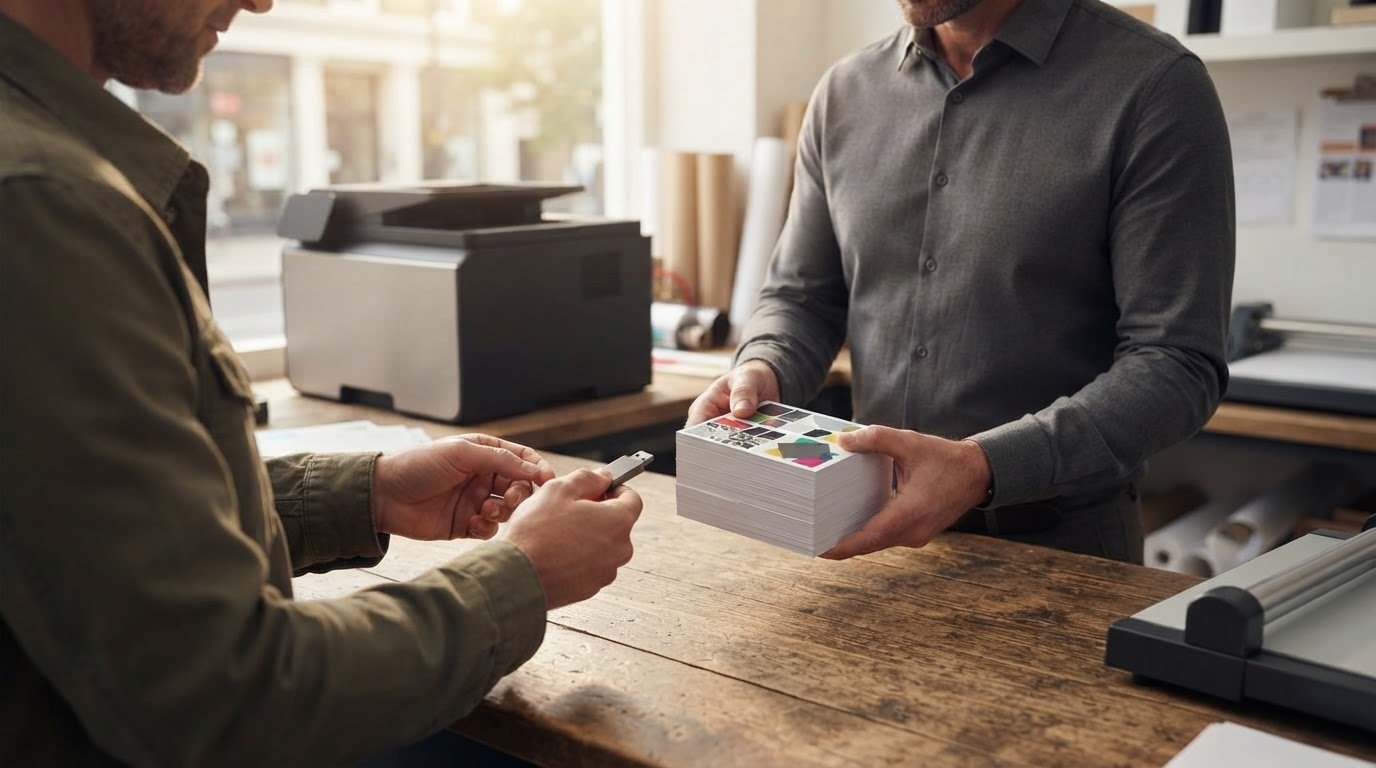
Need to send a print job from a USB drive or mobile device and meet a deadline? When looking for a quick print shop near me, first confirm how to submit your files, which file formats the shop accepts and when the shop can have your order ready.
When time is tight, you need clear answers before you send a file or travel for collection. Device support and accepted file formats can vary, while the finished result also depends on the print material, size and finishing you need.
This guide covers practical checks for file transfer, print materials and formats, as well as collection and turnaround planning. Having your requirements ready helps the print team assess the job and keep it moving. Whether you need business documents, brochures, posters or banners, clear specifications make it easier to choose a suitable print option for your deadline.
Key Takeaways
- Check that your file is print-ready, with suitable resolution, colour settings and bleed for the finished size.
- Match the paper and format to the job, whether you need business stationery, brochures, flyers or large-format posters.
- Business cards in one hour may suit an urgent handout; confirm the required design and finishing details early.
- For event graphics, consider how the banner or sign will fit its display space and how it needs to reach your stand.
- Use the local print shop’s location and contact details to plan collection or delivery and discuss the turnaround for your order.
What file formats are accepted for printing?
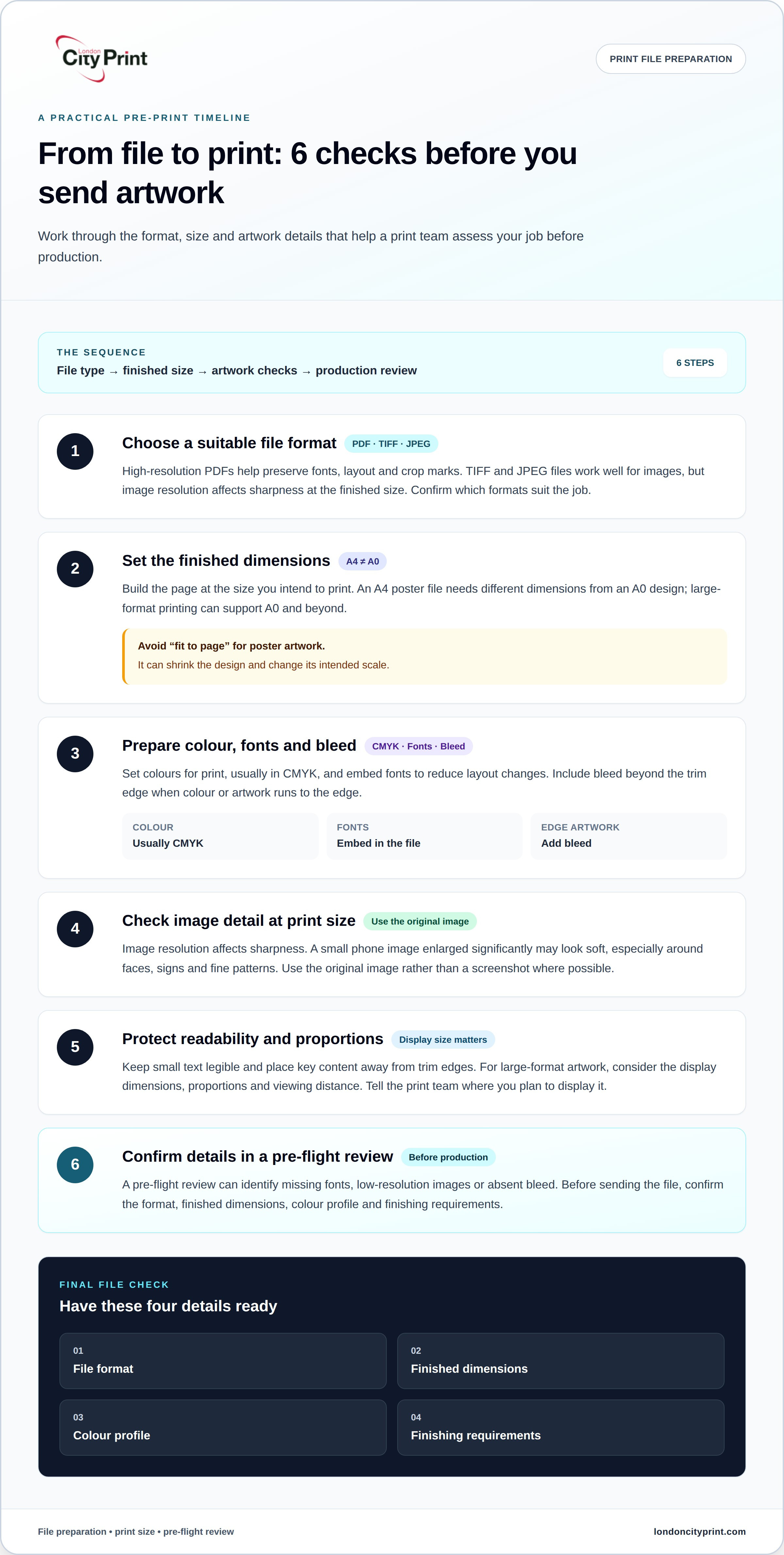
Common print files include high-resolution PDFs, TIFF images and JPEG photographs. A PDF helps preserve fonts, layout and crop marks. TIFF and JPEG files work well for images, but their resolution affects sharpness at the finished size. Before sending artwork from a computer, USB drive or mobile device, confirm which file formats suit the job.
For a PDF, include the finished page size and any bleed beyond its trim edge. Set colours for print, usually in CMYK, and embed fonts to reduce layout changes. For example, an A4 poster file needs different page dimensions from an A0 design. A pre-flight review can identify missing fonts, low-resolution images, or absent bleed before production.
Poster artwork should match the display dimensions, not rely on “fit to page.” That setting can shrink a design and alter its intended scale. Large-format printing supports sizes such as A0 and beyond, so the artwork’s proportions and viewing distance matter. Keep small text legible and place key content away from trim edges.
Large-format photo prints need source images with enough detail for the finished size. A small phone image enlarged significantly may look soft, particularly around faces, signs and fine patterns. Use the original image rather than a screenshot where possible. A print-ready PDF can combine photos with captions, logos and other layout elements.
The highest-rated nearby print shops depend on your location and current review scores. Recent reviews that describe print quality, file handling, and collection accuracy offer more useful detail than a rating alone.
Before production, confirm the file format, finished dimensions, colour profile and finishing requirements. For a poster or photo print, also tell the print team where you plan to display it. These details help the print team assess whether your artwork suits the chosen size and material.
Business stationery and business cards
Business stationery helps keep a company’s identity consistent across everyday communications. Business cards are a useful starting point: they present key contact details in a compact format. Make the name, role, phone number, email address, website and logo clear and easy to read. A sales team, for example, can use one shared design while updating each employee’s details.
Keep print designs consistent by using the same logo, colour palette and type styles across business cards and related materials. Check that small text is legible and contact details are current before production. A high-resolution PDF helps preserve the layout, fonts and image quality. If colour extends to the edge, include bleed in the artwork.
Paper and finish influence a card’s feel and appearance. Heavier stock feels firmer, while a matt finish reduces shine. Gloss can make colours appear more vivid but may reflect light. Choose a finish to suit how you will handle the cards and the look you want. Keep important text clear of the trim edges.
For a last-minute event or meeting, business cards in one hour can help meet a tight schedule. Have the final artwork and accurate contact details ready so production can focus on the approved design. Review spelling, job titles, email addresses, and phone numbers before printing. A corrected detail is easier to manage before production than after a batch is complete.
Business cards make quick introductions easier at meetings, conferences and client visits. A clear design shows recipients what to do next, whether that is calling, emailing or visiting a website. Consistent stationery and accurate details help your printed materials present a professional image.
Flyers, brochures, and promotional materials
Nearby print shops may handle copies, flyers, posters, and binding, depending on the job. For local flyer and brochure printing, match the format and finish to how people will use each piece.
Flyer and Brochure Printing
A single-sheet flyer suits a short event announcement, opening notice, or product offer. A company brochure can provide more room for service details, product images, and contact information. Decide whether readers need a quick overview or several sections of information. That choice helps determine whether a flyer or folded brochure fits the message. Local printing can also make collection or delivery easier to coordinate around your schedule.
Promotional Materials
Promotional print can combine flyers and brochures with posters or foam board displays. Choose each format for its setting: hand out flyers, or use a poster for a larger headline on a wall or noticeboard. For a product launch, keep the logo, colours, wording and images consistent across the materials so customers recognise the campaign.
Prepare the final copy and approved images before production. Check phone numbers, web addresses, dates and calls to action. For a brochure, confirm the reading order and which panel carries the key details. For a flyer, make the main message easy to spot at a glance. These checks help prevent outdated or incorrect information from reaching print.
Print format, finishing and collection arrangements depend on the job. Match the format to its use, quantity and finishing needs. A folded company brochure, for example, needs artwork in the correct panel order, while a promotional poster should be proportioned for its display space. Clear specifications help keep the print run on track.
Local customer support and turnaround
Local support helps translate a print brief into clear production details. For a custom item, provide its finished dimensions, quantity, artwork, paper preference, and deadline. A5 invitations, for example, need different dimensions from A4 menus. Clear specifications help the print team assess the file and production steps before setting a collection or delivery time.
Paper choice changes a product’s appearance and how it handles. Textured stock can suit a formal invitation, while smooth stock can keep charts and small text easy to read. For a custom size, provide the finished width and height rather than relying on “fit to page,” which can shrink the artwork and alter its scale.
Define the format, date layout, and image sequence for a custom calendar. Specify whether each month uses a separate page, and identify any dates or company details that must appear. The print professional can review the layout for consistency across the calendar. Check the year, month order, captions, and contact information before approving the final file.
For an overnight deadline, send final artwork and production details as early as possible. Timing depends on the format, paper, finishing, file readiness and production workload. A straightforward document is different from a custom product requiring trimming or binding. State the required completion time and whether you need collection or delivery. This gives the production team the details needed to assess the schedule and plan the work. Raise file or layout questions early, before the deadline becomes urgent.
Banner, poster, sign, and yard sign printing
Choose a display format to suit where people will see it. A poster can carry a launch message in a reception area, while a roller banner suits an exhibition stand. Foam board printing creates a rigid display for counters or presentations. Each format gives the artwork a different purpose and setting.
For a pop-up display, plan the design around the full visible area. Make the headline, logo and main message easy to spot from a distance. A conference banner, for example, might feature a short company name and one clear service benefit. Leave details better suited to brochures or business cards out of the banner design.
Posters suit event dates, product announcements and directional information. A poster outside a meeting room, for example, can show the session and start time. Set the artwork to the finished dimensions and keep essential text clear of the trim edges to preserve the layout.
Sign designs should suit their intended location. People viewing a sign from a corridor need a clear message and legible lettering. For a yard sign, consider viewing distance, surroundings and how quickly passers-by can take in the information. Give the print team the finished size and intended use to help guide material selection.
Large-format printing supports displays for exhibitions, retail spaces and presentations. Provide the finished measurements and artwork proportions so the design fits the display area. Strong contrast between text and background helps people read the message at a glance. Check that photos and logos remain sharp at the intended size instead of enlarging a small image without checking its detail.
Delivery directly to your stand
Delivery to an exhibition stand can save you from collecting printed materials elsewhere. Brochures, flyers, posters and roller banners can all support a product launch or conference display. For teams pairing their printed collateral with physical demonstration models or prototypes, VPrint3D Limited provides detailed guides on engineering and rapid prototyping materials. Plan delivery around the event schedule, stand location and the time your team can receive the order.
Give the delivery team practical details: event name, venue, hall, stand number, recipient’s name and a working phone number. Include any venue instructions for receiving goods. At a large exhibition centre, several halls and entrances may serve different stands, so a precise address helps avoid confusion during handover.
Plan packaging around your stand setup. A roller banner may travel as a compact unit, while brochure stacks need secure packing. Separate materials by purpose, such as product sheets for demonstrations and business cards for meetings. Label cartons with the stand number and contents so your team can place items quickly.
Build delivery timing into the production plan. Artwork, print format, quantity and packing requirements all affect when materials can leave production. A late change to a poster or brochure can shift the schedule, so approve final files before printing starts. Share the event’s access window and latest useful arrival time when arranging delivery.
Assign someone at the stand to receive the order and check each package against the agreed list. Confirm that the banner, brochure cartons and promotional flyers have arrived before setup begins. This straightforward handover helps identify missing items early and keeps preparation organised. Keep essential materials accessible for opening time.
Local print shop location and contact details
For printing in Central London, the British Museum is a useful landmark when planning your visit. The print shop is in Holborn, Central London, at High Holborn, 2 minutes’ walk from Holborn tube station. A quick print shop near me can save travel time, but use the exact address to plan your route and find the entrance.
Which nearby print shops are open now? Opening hours vary, and holiday schedules may differ from regular hours. Check current hours before travelling, particularly on a public holiday or around a seasonal closure.
Before setting out, have your collection name and order details ready. Know whether you are collecting a poster, foam board or legal bundle, and consider how you will carry it through Central London. A rigid display board needs different transport planning from a document order.
For contact details, use Phone 0207 404 4046; Email sales@londoncityprint.com. Include your name and a short description of the print job in your message. A quick print shop near me is easier to coordinate with when you can identify the item, collection plan, and deadline clearly.
Plan ahead if your deadline falls near a holiday closure. Check the relevant date against the shop’s current schedule, then allow time for travel and collection. London City Print is in Holborn, Central London, a short walk from Holborn tube station. Keep your collection details on your phone so they are easy to access when you arrive.
London City Print
London City Print produces professional print jobs from clear specifications, from event materials to business documents. If you are looking for a quick print shop near me, start with the finished item, quantity, artwork and deadline. These details help the team plan production around your requirements.
Booklets and brochures present company information, product details or event content in an organised format. Share the final copy and approved images, and explain the audience and intended use. A product guide, for example, may need a different page order from a short event handout. Clear content helps the finished piece do its job.
For displays and presentations, posters and roller banners put key messages in view. Supply artwork designed for the finished format and provide the dimensions. Keep the headline, logo and essential information easy to read. If you need a quick print shop near me for an upcoming event, include the event date and when you need the materials ready.
Wire binding suits documents readers need to open and consult, such as reports or presentation materials. It lets pages lie flat, making them easier to reference in a meeting. Provide the page order and intended use so the binding works with the document’s structure. Accurate artwork and clear instructions help keep production on track.
For a printing enquiry, prepare the item, quantity, artwork, and required deadline. Contact London City Print to discuss your requirements and the next step. Phone 0207 404 4046; Email sales@londoncityprint.com.
Frequently Asked Questions
Can I print directly from a USB drive or mobile device?
To start a print job, email your artwork and specifications to sales@londoncityprint.com. Include the document name so the team can identify the right version. If the file is on a USB drive or mobile device, attach it from that device where possible. For help preparing or sending a file, contact the team before placing your order.
Can I start my print order online and pick it up in store?
Start an order by emailing the artwork and job details, then include collection arrangements in your request. Specify the printed item, quantity, finished dimensions and deadline. For example, say whether you need a poster or a bound booklet. Clear details help the team understand the request and plan the next step.
Do you offer custom sizes or specialty papers?
Custom sizes are available, and we offer eco-conscious stocks across most services. Provide the finished dimensions and explain how you will use the print, such as for a display board or presentation handout. Include any paper preference in your project details so the intended use can help guide the format and material.
How quickly can my print job be completed?
Same-day printing is available 24 hours a day for most professional documents, depending on the job. The time needed for your specific job depends on the artwork, quantity, format, and finishing steps. A prepared document differs from a project that needs design adjustments or binding. Include your deadline and the time you need the finished work, so the team can assess the production schedule for your requirements.
What finishing options are available, including binding, laminating, and folding?
Finishing options include Wire binding, PUR binding, Saddle-Stitched binding, laminating and folding. Choose according to how the printed item will be used. Wire binding lets documents lie flat, while Saddle-Stitched binding suits booklets. Folding creates panels for leaflets. Include your preferred finish with the artwork and specifications to help plan production.
What quick print shops are near me, and what are their addresses?
London City Print is in Holborn, Central London, at High Holborn, 2 minutes’ walk from Holborn tube station. Use that address to plan your route for a visit or collection. For enquiries about a job, include its name and the item you need. Contact details: Phone 0207 404 4046; Email sales@londoncityprint.com.
Which local print shops offer same-day or express printing?
London City Print offers same-day printing 24 hours a day for most professional documents, depending on the job. The production schedule depends on the job’s artwork, format, quantity, and finishing requirements. For example, a document needing binding has different production steps from a straightforward print run. Provide the deadline and completed artwork when describing the job, so the team can assess the work against your schedule.
Do nearby print shops accept walk-ins, email files, or online orders?
Email is a direct way to send artwork and order details. Include the item, quantity, dimensions, and deadline in your message. For in-person enquiries, London City Print is located at High Holborn, 2 minutes’ walk from Holborn tube station. Contact details: Phone 0207 404 4046; Email sales@londoncityprint.com. Include your name and the print job’s purpose to make your enquiry clear.